 Chord Randomizer
Random chords to improvise over
- macOS
- Windows
Free Version 0.7.0 · No account · Collects nothing
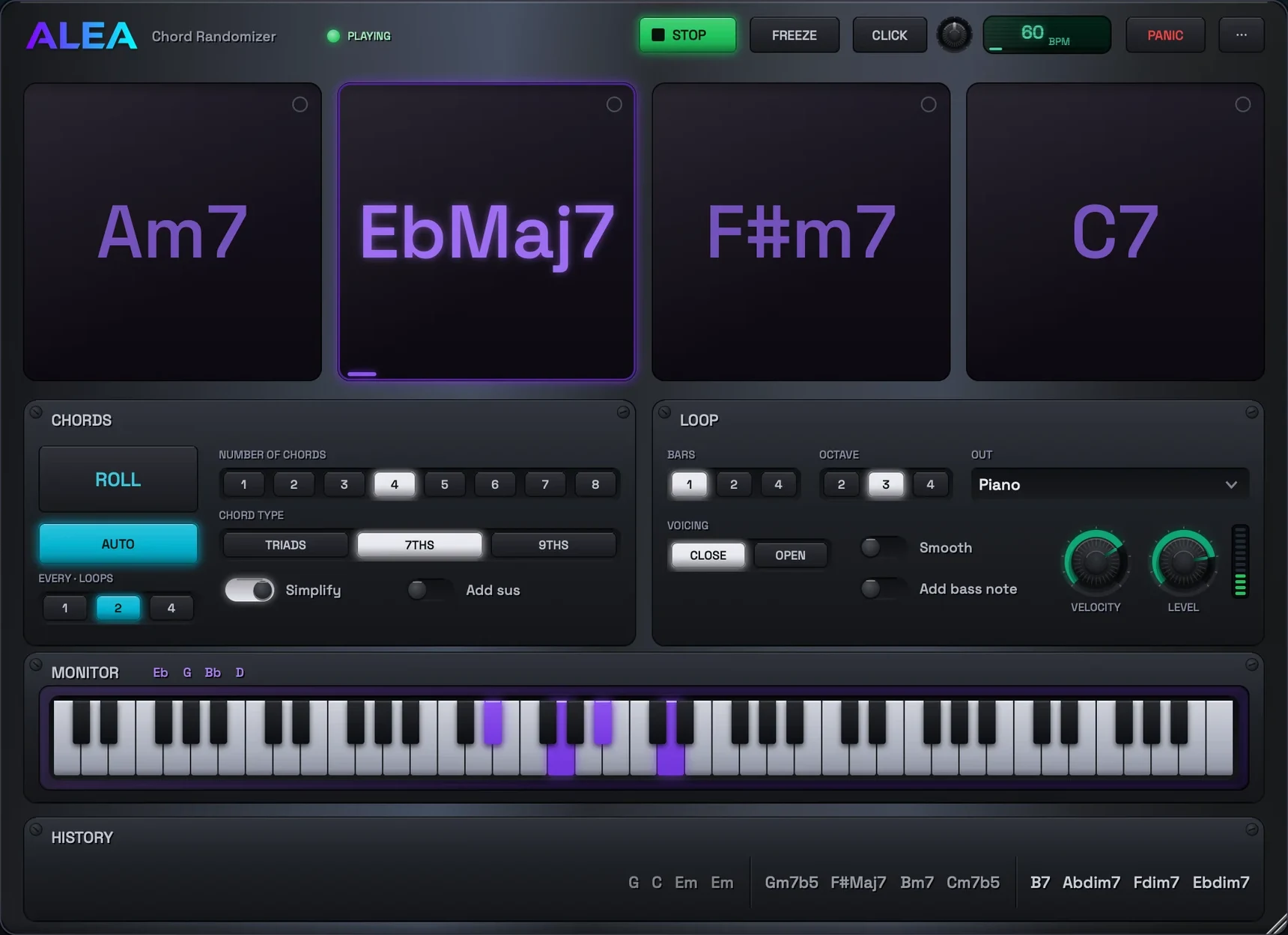
This app was born from an improvisation exercise idea: generate a short random chord progression, loop it, and improvise over it with your instrument. A progression you did not choose forces your ear and your hands out of familiar shapes.
Roll the dice, hit play, jam. CHORDS decides what the dice can roll, LOOP decides how it sounds. Rolling mid-loop swaps the new chords in at the next change, and clicking a chord jumps there.
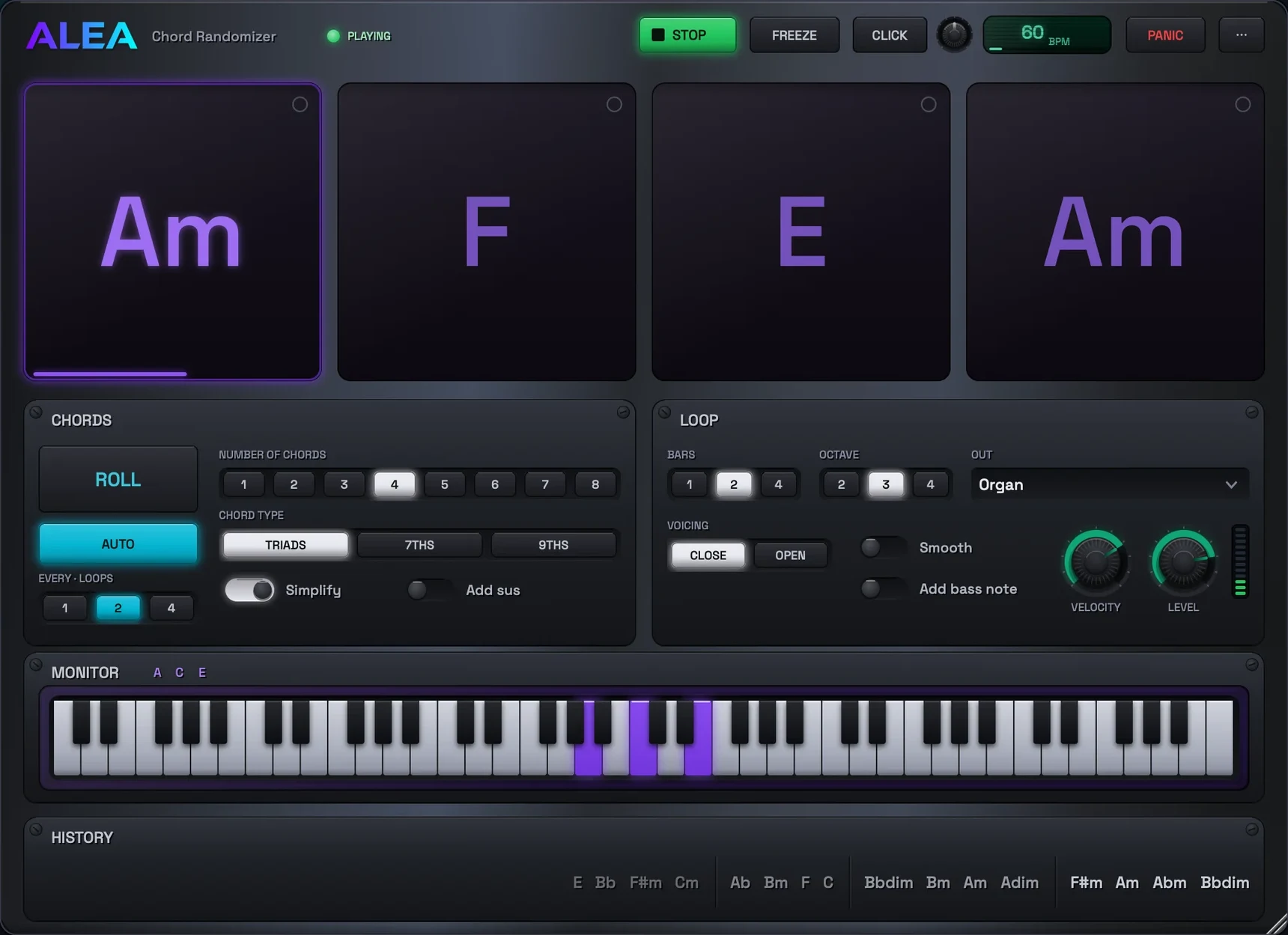
The MONITOR shows what is sounding, keys lit and notes spelled out. Make the window shorter to tuck it away and find the chord notes yourself, a nice theory workout. Ear workout mode hides the chord names instead, and you name what you hear. Click the eye on a card to reveal that one chord.
AUTO rolls for you every few loops. Pin a chord and it survives rolls. OUT plays the built-in synth or sends MIDI to any device, and past rolls pile up in HISTORY, one click from coming back. It runs in any DAW as a VST3, AU or CLAP plugin, or on its own as a standalone app. Special thanks for the original idea to Yonatan Benaroche.
Inside the app
A look inside
-
A progression you did not choose
Roll some chords, loop them, improvise over them on whatever you play.
A drill for your own practice, and a ready-made one for teachers.
-
As hard as you can take it
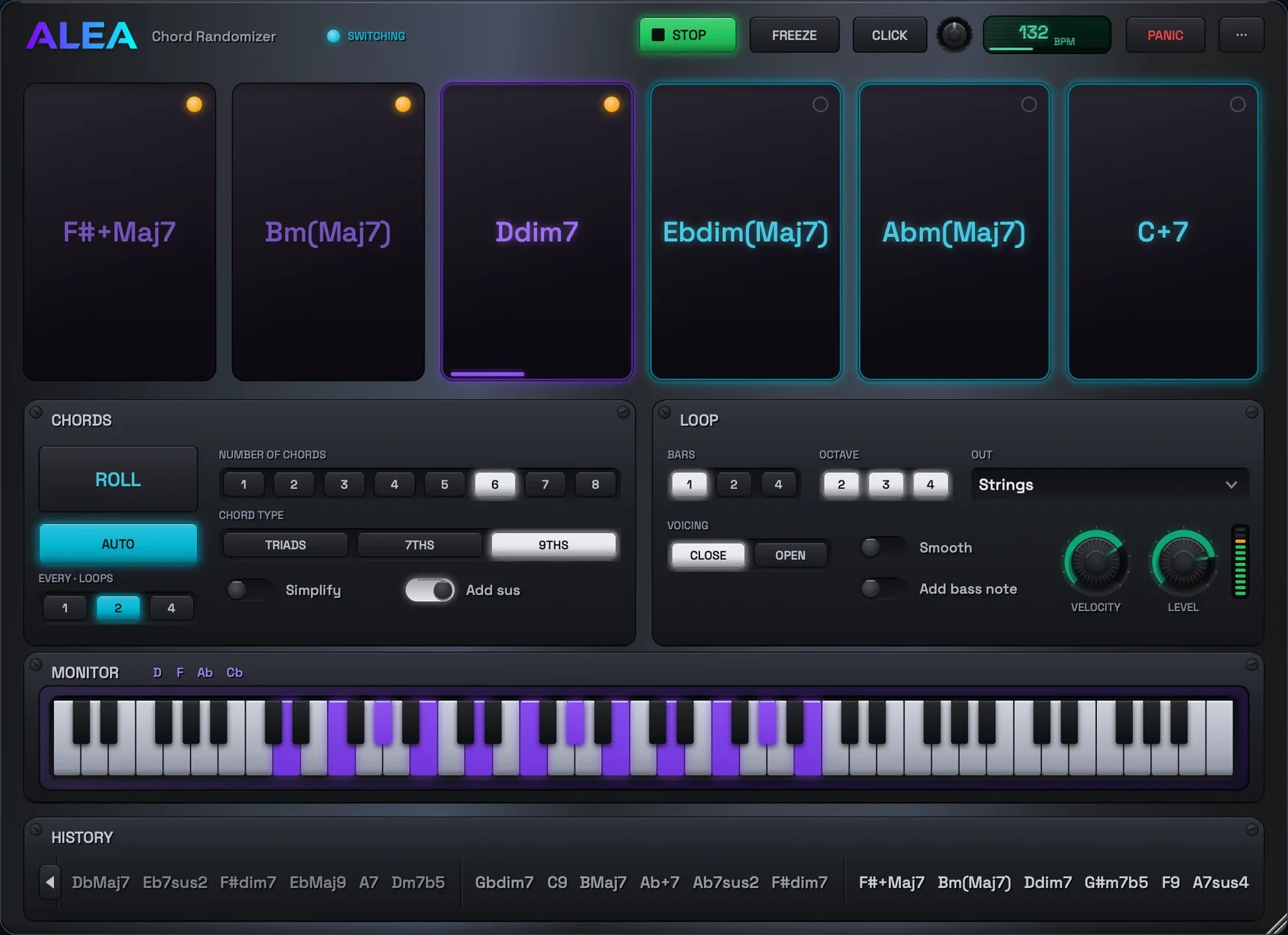
Sevenths, ninths and sus chords from a 21-root vocabulary, sounding across three octaves.
Simplify it down to plain triads whenever you want.
-
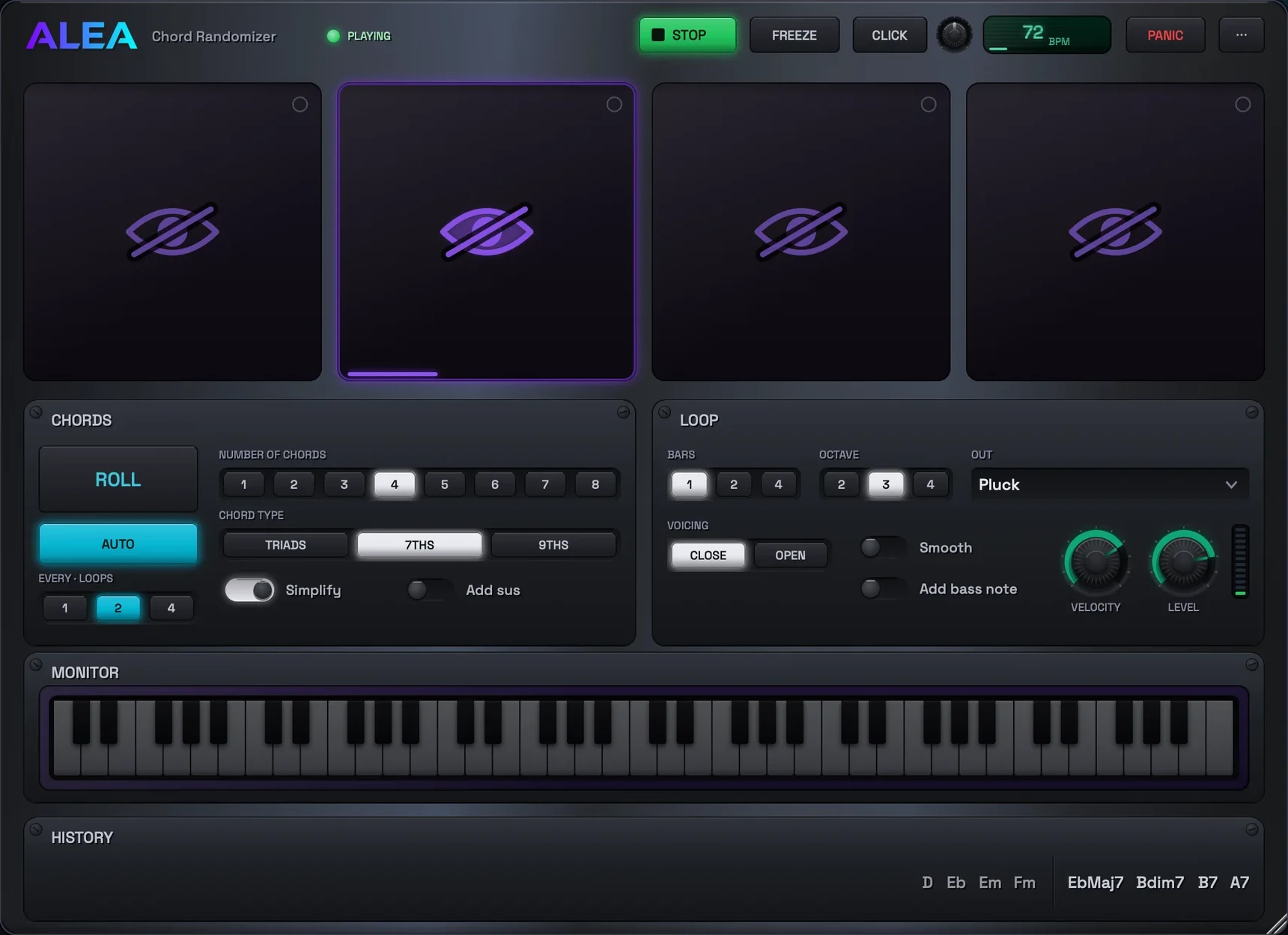
Or roll them and hide the names
Name the chord by ear, then tap the eye to check.
-
See what you are hearing
The keys light up with the sounding chord, and its notes are spelled out beside them.
-
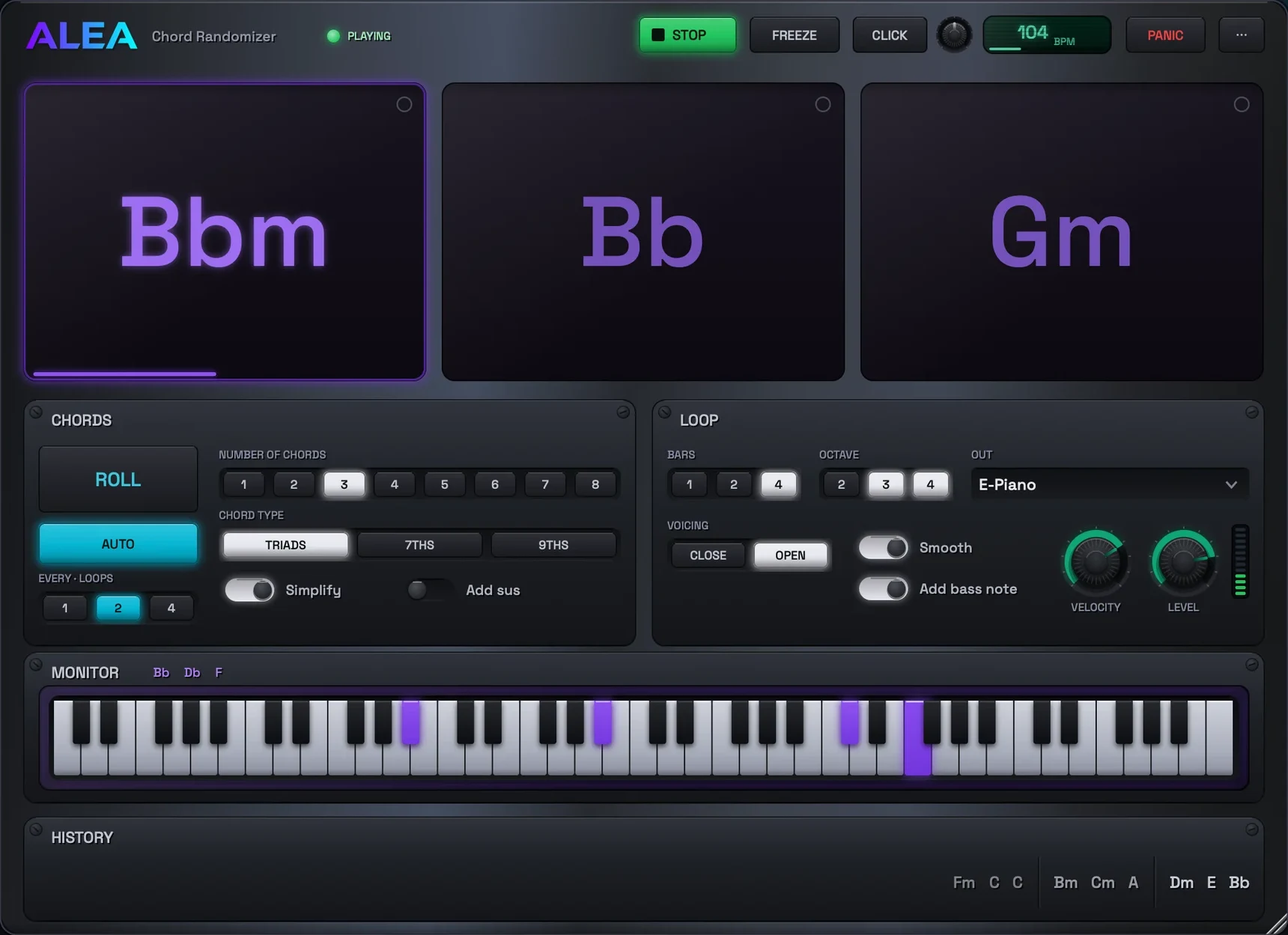
Every chord arrives voiced
Toggle smooth voice leading, close or open voicings, and a bass note under the chord.


Built for the job
Who Alea Chord Randomizer is for
Guitarists and pianists
A practice partner that deals a progression you would never write, at the tempo you choose.
Students of harmony
See every chord voiced on the keyboard, or hide the names and name them by ear.
Producers
A quick source of progressions to audition, in key, through any instrument in the DAW.
Capabilities
What it does
The dice
CHORDS decides what the dice can roll: how many chords, triads to ninths, sus chords and all, from a meticulous chord vocabulary.
The monitor
The keys light up with whatever is sounding, and the chord notes are spelled out beside them.
The loop
LOOP decides how it sounds: your tempo, your bars, your octaves, through the built-in synth or MIDI to any device.
Practice flow
AUTO rolls for you every few loops. Pin a chord and it survives rolls. Past rolls pile up in HISTORY, one click from coming back.
Two workouts
Tuck the MONITOR away and find the chord notes yourself, or hide the names and name what you hear.
Voicing
Smooth voice leading, close or open voicings, and a bass note under the chord, each on its own switch.
Practical guides
Start with what you want to do
Chord ear training you do while playing, not quizzing
The names hide, the loop keeps playing, and you answer on your instrument. A graded plan from two triads to the hard end of the vocabulary.
5 minute read → Chord Randomizer guide · PracticeHow to practise improvising over a random chord progression
The Benaroche drill, automated: loop a progression you did not choose and play over it. How to aim it at the skill you actually want.
6 minute read →Free to download
Get Alea Chord Randomizer
Built with licensed third-party code. Third-party notices.
Troubleshooting
When something sounds wrong
No sound in your DAW
The Chord Randomizer generates MIDI notes. By default it makes no sound of its own, so its notes have to reach an instrument. If you want it to sound by itself instead, flip OUT to Internal Synth.
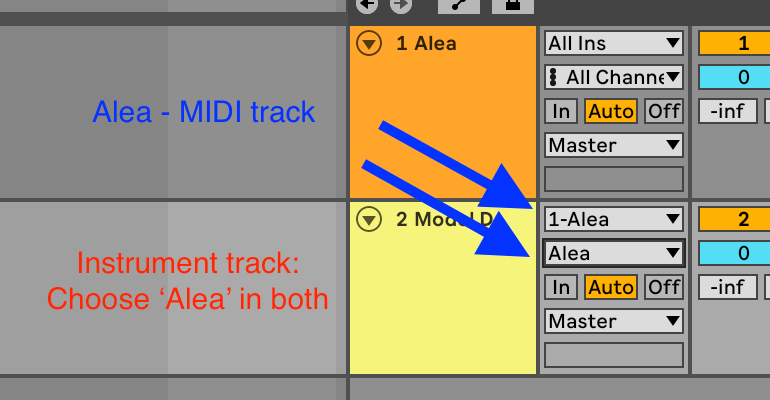
In Ableton Live: drop it onto a MIDI track. On a second MIDI track with any instrument, set MIDI From to its track and pick the plugin in the chooser below it (not Post FX). Arm the instrument track and press play.
Still silent?
Press ROLL first. An empty series has nothing to play.
A stuck note ends with one press of PANIC.
In the standalone app, pick Internal Synth under OUT, or point OUT at a MIDI device.
Which format to load
Ableton Live and Cubase: VST3. In Live, do not use the AU. Live cannot route MIDI out of AU plugins, so only the VST3 works there.
Logic Pro and GarageBand: AU, with OUT set to Internal Synth (Logic cannot route AU MIDI either).
Bitwig and Reaper: CLAP or VST3.
No DAW at all: the standalone app.
macOS blocks the installer
The installer is unsigned for now, so the first open is blocked. Dismiss the warning, open System Settings > Privacy & Security, scroll to the Security section, and click Open Anyway.
On older versions of macOS, right-clicking the .pkg and choosing Open also works.
The short answers
Questions about Alea Chord Randomizer
Is it free?
Yes. Alea Chord Randomizer is free to download and use.
Does it make sound on its own?
Yes, when OUT is set to Internal Synth. It is a MIDI instrument first, so it can also drive any instrument in your DAW or any hardware over MIDI.
Can I see which notes are in the chord?
Yes. The monitor lights the keys of whatever is sounding and spells the chord notes out beside them. Or make the window shorter to tuck it away and work them out yourself.
Does it phone home?
No. No accounts, no analytics, no tracking. The only network request it can ever make is the update check, and only when you ask for it.
Privacy by design
What Alea Chord Randomizer knows about you
- The app collects nothing about you. No accounts, no analytics, no tracking, no crash reporting.
- Your settings and saved patches live on your own computer and are never uploaded.
- It touches the network only when you choose Check for Updates yourself.