
Front Row Audio Enhancer
Hear every lecture from the front row
- Chrome
Free No account · Nothing leaves your browser
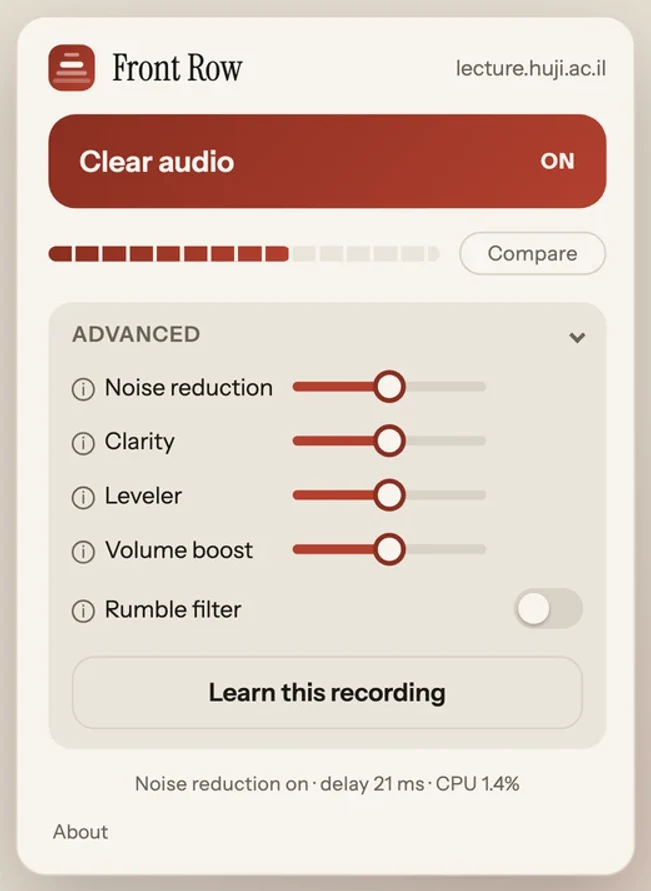
Front Row is an audio enhancer for web video. It cleans and boosts the speaker’s voice live, on your own device.
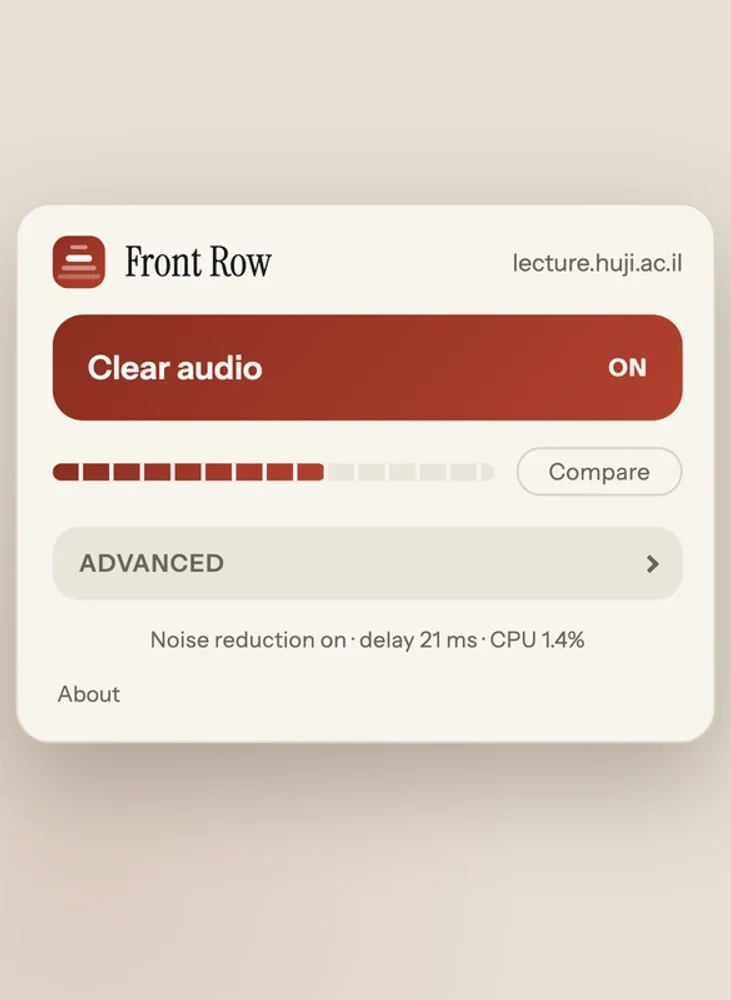
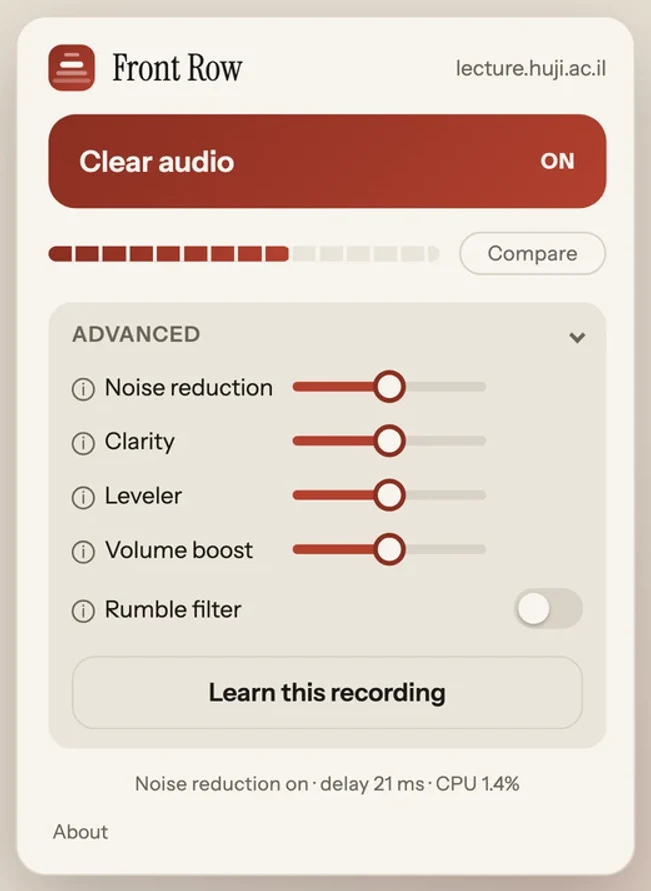
Click the extension icon and press Clear audio. If a recording still sounds off, open Advanced and press Learn this recording. Front Row remembers the site, so next time it turns itself on with no clicks at all.
Inside the app
A look inside
-
Hear every lecture from the front row.
One click makes the speaker clear.
It remembers every site you turn it on.
-
Built for people who watch at 2x.
Speech gets harder to follow the faster you play it.
Front Row adjusts to your playback speed.
-
It listens to the recording first.
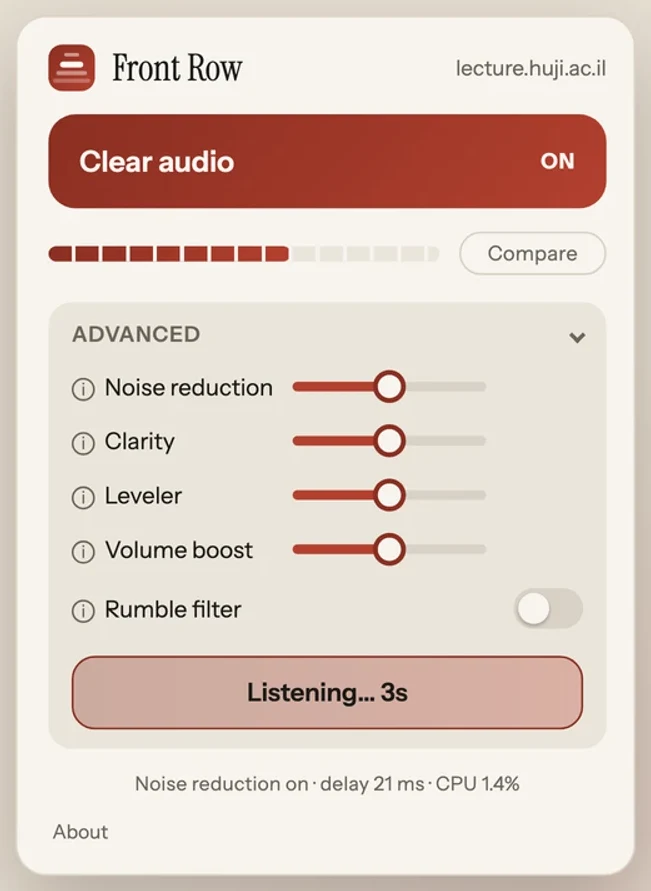
Press Learn and it studies five seconds of the lecture.
Then it tunes every slider to that exact room and mic.
-
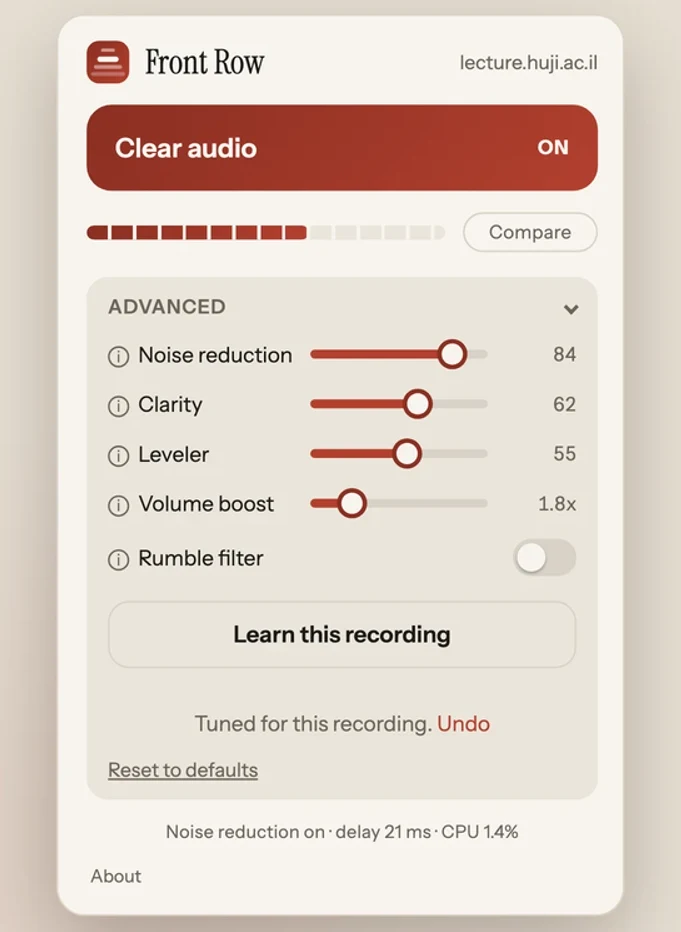
Tuned to this lecture, not to lectures in general.
The sliders glide to what it decided, so nothing is hidden.
Keep it, tweak it, or undo it in one click.
-
AI noise reduction, on your device.
A neural network separates speech from noise.
Your audio never leaves the browser.
Built for the job
Who Front Row Audio Enhancer is for
Students with recorded lectures
Course platforms hand you whatever the room microphone caught. This is the tool for the recording that is technically audible and practically not.
People who watch at double speed
Speed makes bad audio worse. Front Row adjusts to your playback rate instead of ignoring it, so 2x stays intelligible.
Listening in bad conditions
Laptop speakers, a noisy room, a train. Clarity and the leveler work on the parts of speech that those conditions take away first.
Capabilities
What it does
AI noise reduction, on your device
RNNoise, an open source neural network trained on speech, separates the voice from the background. It ships inside the extension and runs on your own machine. If it cannot start, it removes itself from the chain and the audio passes through rather than going quiet.
Learn this recording
Five seconds of listening, then every slider is set for that recording. It measures how much noise there is, what kind it is, how the level moves and how the tone is tilted, and tunes to that rather than to lectures in general.
Built for watching at 2x
The chain reads the playback speed and retunes to it, so the leveler stays the same length in syllables whether you watch at 1x or at double speed.
Four sliders and a switch
Noise reduction, clarity for the frequencies that make speech easy to follow, a leveler that evens out quiet and loud moments, volume boost up to five times with protection so it does not distort, and a rumble filter.
Hold to compare
Press and hold Compare and you hear the original untouched audio. Let go and the processing comes back. The label says what you are hearing right now, not what the button will do next.
It remembers each site
Settings are kept per site on your own machine. The next time you open a lecture on that site it turns itself on with the values you left, and forgets nothing between visits.
Free to install
Get Front Row Audio Enhancer
Built with licensed third-party code. Third-party notices.
Troubleshooting
When something sounds wrong
The page reloaded itself once
That is the fallback doing its job. Some players do not allow direct access to their audio, and Front Row can only tell by hearing silence where sound should be. When that happens it switches to capturing the tab’s sound instead.
A player that has already been tapped cannot be released without a reload, so the page reloads once and comes back working. The switch belongs to that tab alone, not to the site, and it is gone when you close the tab.
Learn says it could not hear enough
Learn needs five uninterrupted seconds of the recording actually playing. Press play first, then press Learn, and leave it running until the countdown finishes.
If the video pauses in the middle of those five seconds it stops and tells you so. Press Learn again while it plays.
The noise reduction slider is greyed out
A few sites have a security policy strict enough to stop the noise reduction stage from starting. There is a backup engine for exactly that case, and it is used automatically, but on some pages neither can run.
When that happens the slider is disabled rather than left there doing nothing. Clarity, the leveler, volume boost and the rumble filter all still work.
The popup says there is no video or audio
Front Row works on ordinary web pages that have a player on them. Browser settings pages, the new tab page and other extensions’ pages have nothing for it to attach to.
If a page does have a player and the popup still says this, reload the page and open the popup again. The extension attaches when the page loads, so a tab that was already open before you installed it needs one reload.
Something else, and how to report it
The extension can explain itself. Open the popup, click About, then Copy debug report. That puts everything the extension can see about the current page on your clipboard, including which audio route it took, what the engine measured, and the last twenty times you pressed Learn.
Send it to support@codonic.dev with what you were watching and what you heard. Nothing is sent anywhere until you do that yourself.
The short answers
Questions about Front Row Audio Enhancer
Is Front Row free?
Yes. It is free to install and use, with no account and no subscription.
Does my audio go anywhere?
No. Everything happens inside your browser, live, as the video plays. There is no server to send anything to, and the neural network ships inside the extension rather than running somewhere else.
Which sites does it work on?
Any ordinary web page with video or audio on it. There is no site-specific logic in the extension, so university lecture platforms, YouTube and anything else with a player are all the same to it.
Does it work in Edge, Brave or other Chromium browsers?
Front Row is built and tested for Chrome, and Chrome 116 or later is what it asks for. We have not tested other Chromium browsers, so we do not claim them.
What does Learn this recording actually do?
It listens to five seconds of what is playing and measures how much noise there is, what kind it is, how far the level moves and how the tone is tilted. Then it sets all five controls for that recording. The sliders move to where it landed so you can see the decision, and Undo puts them back.
Does it help when I watch at 2x?
That is one of the things it was built for. The chain reads your playback speed and retunes its timing to it, so the leveler works over the same number of syllables at 2x as at 1x.
Privacy by design
What Front Row Audio Enhancer knows about you
- Front Row collects nothing about you. No accounts, no analytics, no tracking, no crash reporting.
- Your audio is processed as it plays and is never recorded, saved or uploaded.
- The extension makes no network requests at all.
- What it remembers stays on your device: your settings for each site, and the results of recent Learn runs.