 Scale Shifter
Random notes from any scale, slowly morphing into another
- macOS
- Windows
Free Version 0.4.2 · No account · Collects nothing
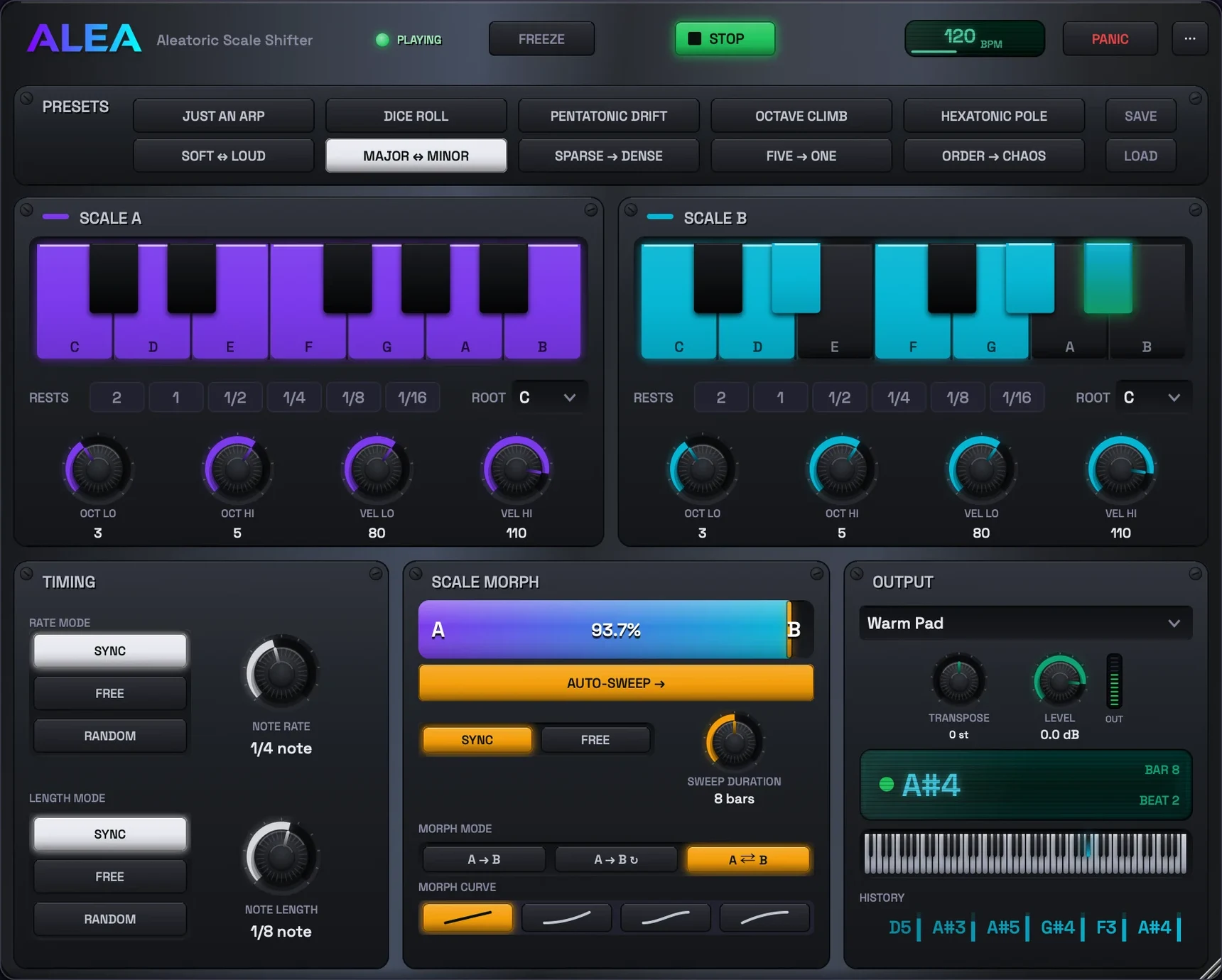
Scale Shifter was made with a particular vision in mind: exploring the relationship between an improvising human player and a machine that randomly shifts from a diatonic scale to complete dodecaphony over time (hence the last factory preset).
Scale Shifter generates MIDI notes or basic sounds. Pick a preset or set up your own two scales, morph between them with the bar, or hit AUTO-SWEEP and let Scale Shifter travel on its own, while you play against the drift.
It runs in any DAW as a VST3, AU or CLAP plugin, or on its own as a standalone app. A built-in synth with ten sounds, including a sampled upright piano, means it makes sound anywhere with zero routing.
That said, any musician playing with it will have all kinds of ideas, and I hope it can serve your musical aspirations.
Inside the app
A look inside
-
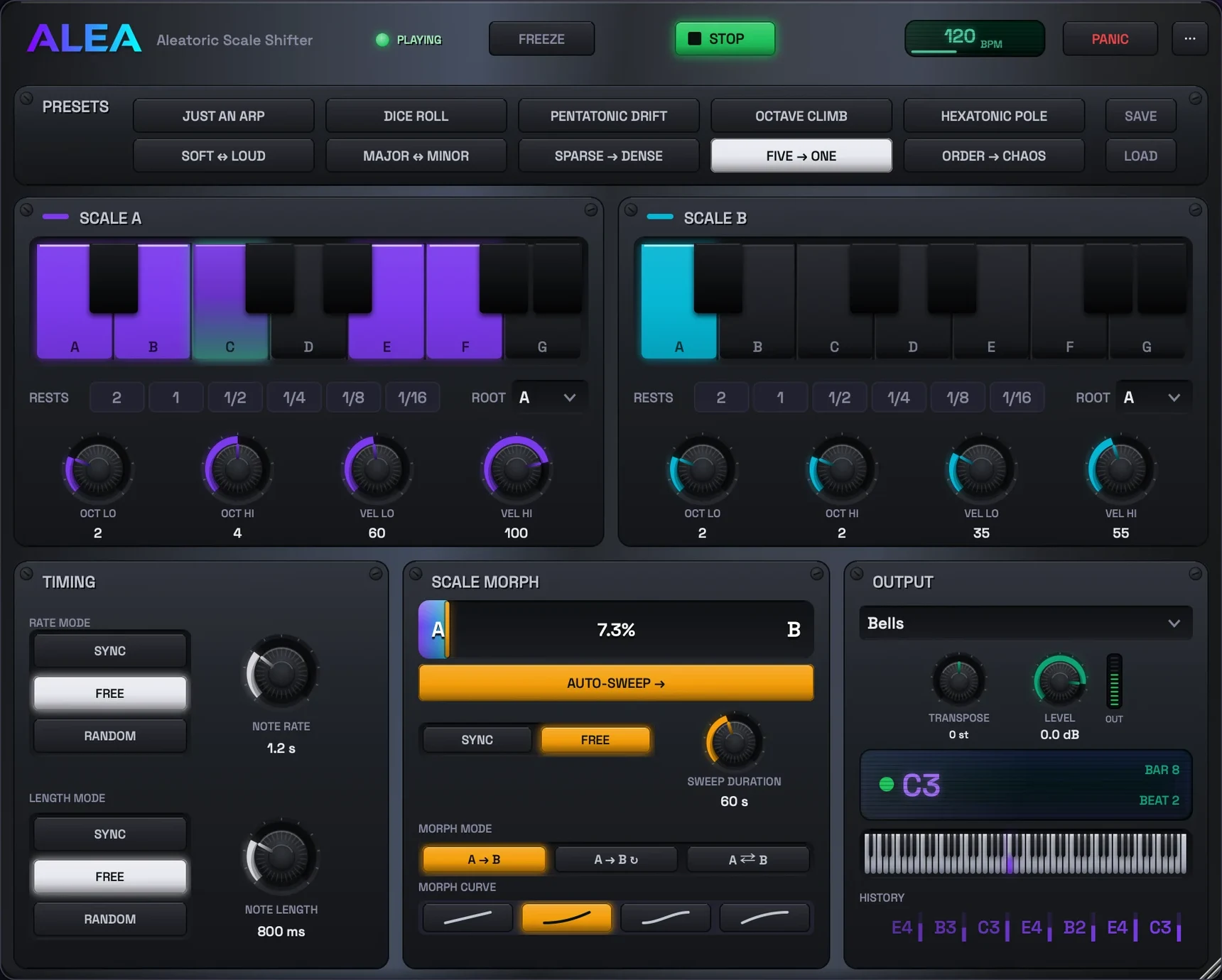
Two scales, and the odds between them
Every note is drawn from Scale A or Scale B.
The morph sets how often each one wins.
-
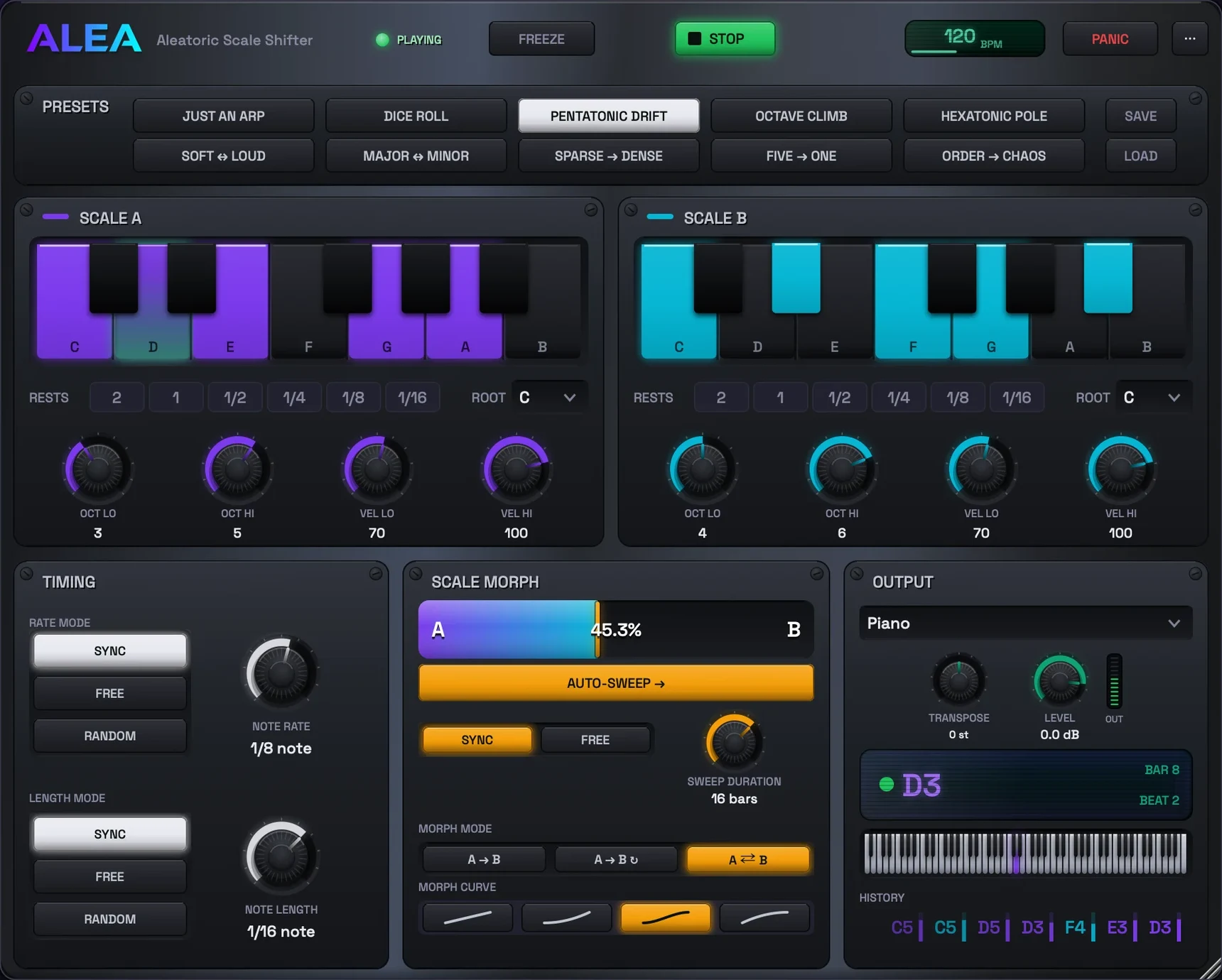
Set the morph moving and play against it
A to B over eight bars or twenty minutes, on a linear, exponential, S or logarithmic curve.
-
Ten presets, or build your own
Starting points across the whole range, and your two scales save as .alea files.
-
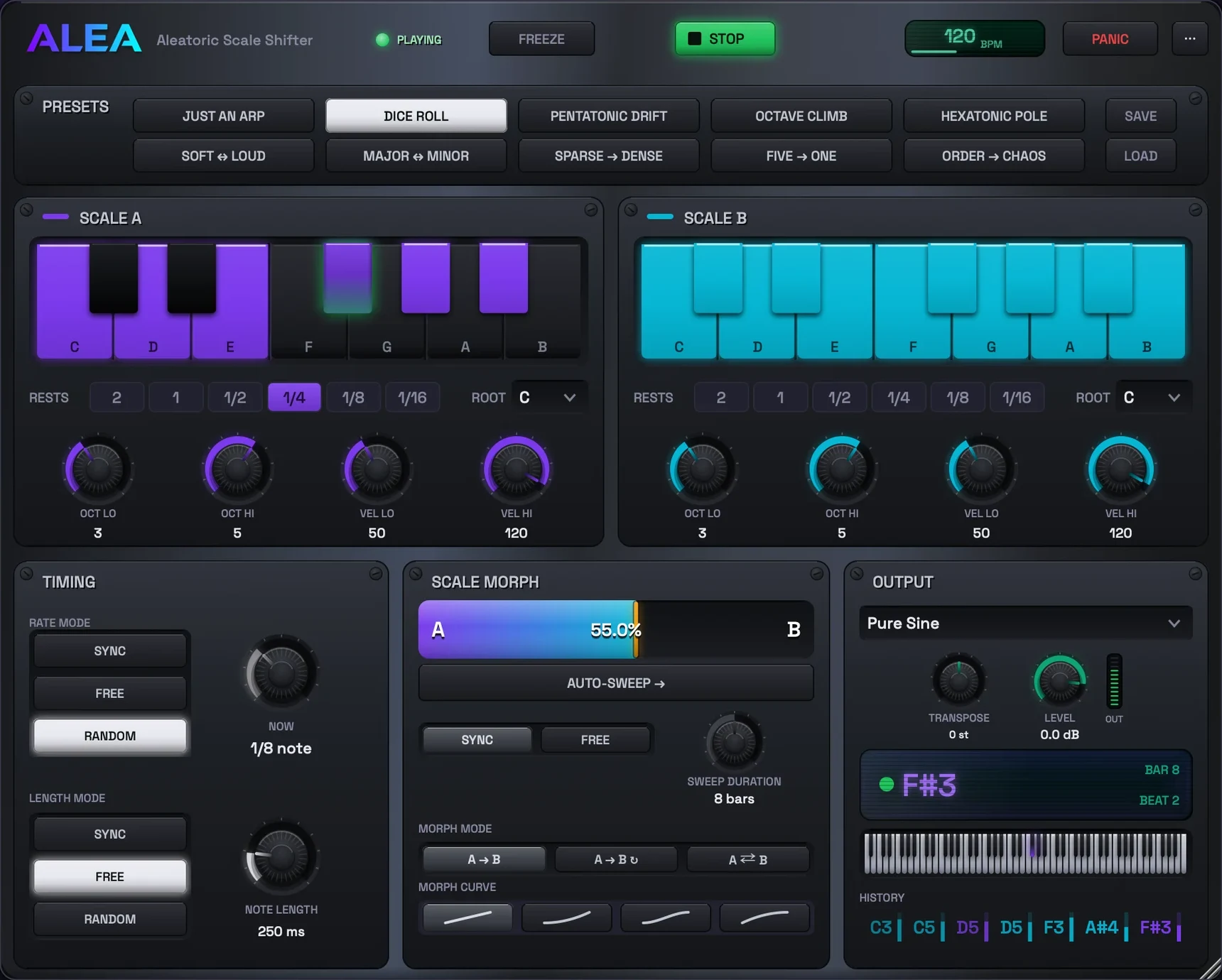
Synced, free running, or rolled per note
Note rate and note length each pick their own mode: synced to the host, free in seconds, or rolled.
RANDOM draws every note a fresh value, 1/16 note to 1/2 note.
-
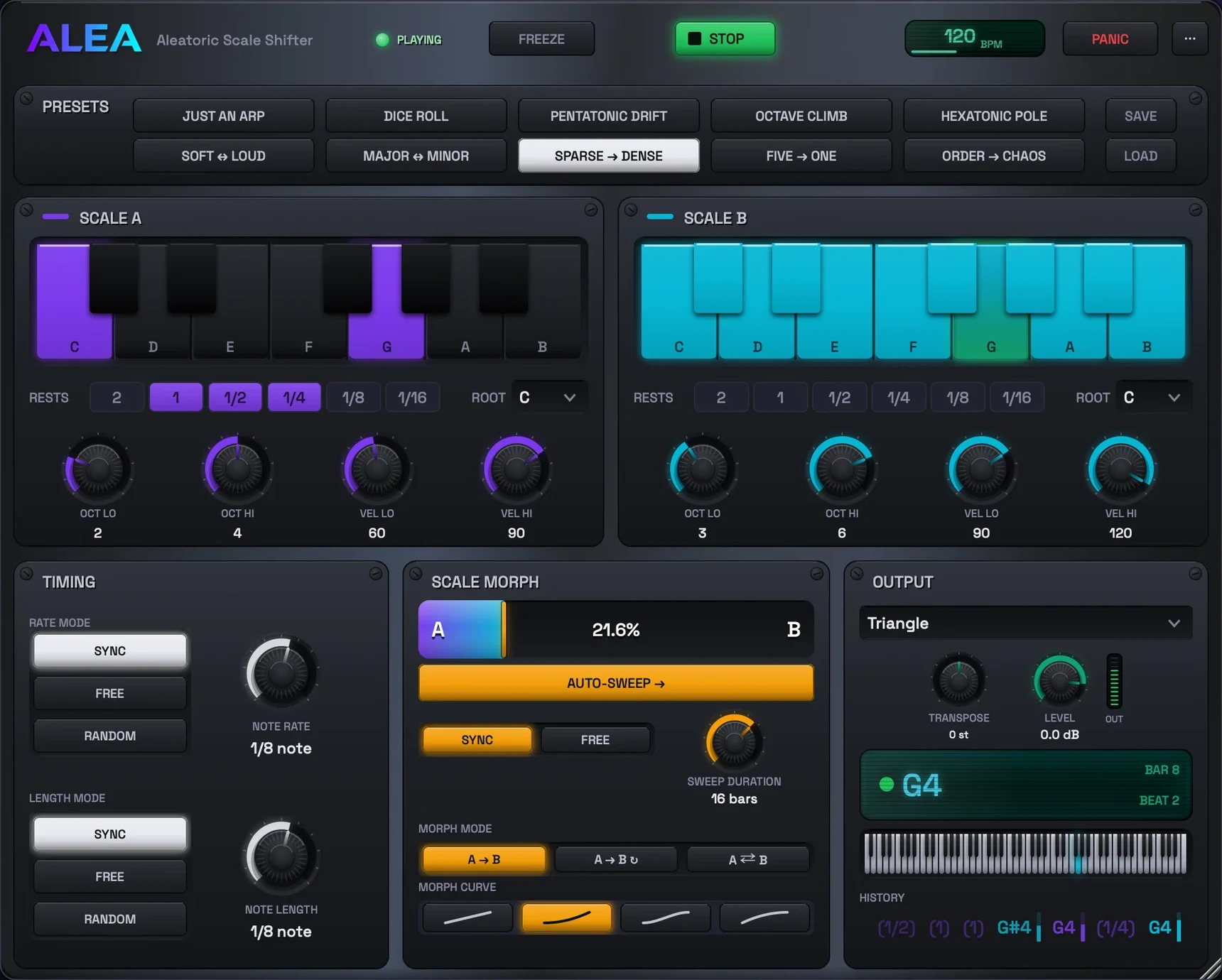
Each scale shapes its own dice
Octave range, velocity range, root, and rests that roll just like notes.


Built for the job
Who Alea Scale Shifter is for
Improvisers
Practice playing over a line you did not write, in a scale that keeps shifting under your fingers.
Producers
An endless generative line for a pad, a pluck or a hardware synth, with the drift automated from the arrangement.
Ear training
Set Scale B a semitone off, or to full dodecaphony, and learn to hear where the line is going.
Capabilities
What it does
Two scales, fully yours
Notes, octaves and velocities per scale, plus rests that roll just like notes.
Scale Morph
Morph between the scales with the bar, by automation or MIDI CC, or hit AUTO-SWEEP and let Scale Shifter travel on its own.
Three timing modes
Locked to your DAW, free-running at its own rate, or rolled anew for every note.
A built-in synth
Ten sounds, from warm pads to a sampled upright piano, so it works with no routing at all.
Presets
Ten built-in, from Just an Arp to Order → Chaos, plus your own saved as .alea files.
Replayable randomness
Loop a section and it rolls the same dice again. Renders are repeatable, not one-off.
Practical guides
Start with what you want to do
Morphing between scales: from diatonic to dodecaphony
Every note is drawn from Scale A or B, and the morph sets the odds. How to build the two ends, drive the journey, and play against it.
6 minute read → Scale Shifter guide · SetupHow to route a MIDI plugin to an instrument in your DAW
A MIDI instrument makes no sound until its notes reach an instrument. Here is the routing step, per DAW, and the format each one can actually use.
6 minute read →Free to download
Get Alea Scale Shifter
Built with licensed third-party code. Third-party notices.
Troubleshooting
When something sounds wrong
No sound in your DAW
Scale Shifter generates MIDI notes. By default it makes no sound of its own, so its notes have to reach an instrument. If you want it to sound by itself instead, flip OUT to Internal Synth.
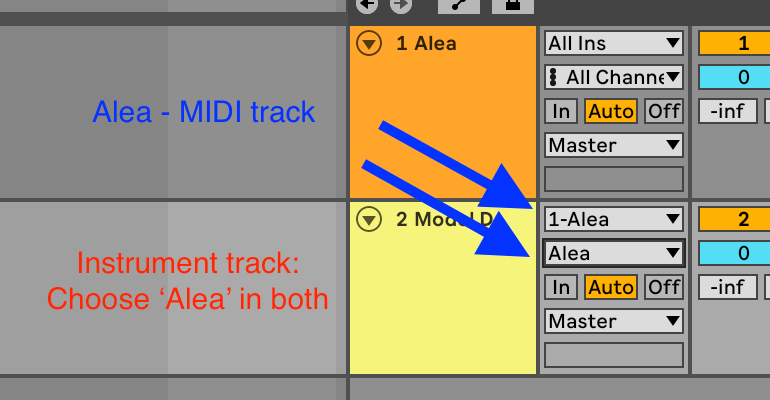
In Ableton Live: drop Alea Scale Shifter onto a MIDI track. On a second MIDI track with any instrument, set MIDI From to the Scale Shifter track and pick Alea Scale Shifter in the chooser below it (not Post FX). Arm the instrument track and press play.
Still silent?
The header dot should read "playing" while the host runs.
At 100% B with an empty Scale B there is nothing to play.
A stuck note ends with one press of PANIC.
In the standalone app, pick Internal Synth under OUT, or point OUT at a MIDI device.
Which format to load
Ableton Live and Cubase: VST3. In Live, do not use the AU. Live cannot route MIDI out of AU plugins, so only the VST3 works there.
Logic Pro and GarageBand: AU, with OUT set to Internal Synth (Logic cannot route AU MIDI either).
Bitwig and Reaper: CLAP or VST3.
No DAW at all: the standalone app.
Scale Shifter is missing from the plugin browser
In Ableton Live, hold Alt and click Rescan in the plugin settings. Live caches plugins that previously failed to load.
Elsewhere, rescan plugins or restart the DAW after installing.
macOS blocks the installer
The installer is unsigned for now, so the first open is blocked. Dismiss the warning, open System Settings > Privacy & Security, scroll to the Security section, and click Open Anyway.
On older versions of macOS, right-clicking the .pkg and choosing Open also works.
The short answers
Questions about Alea Scale Shifter
Is it free?
Yes. Alea Scale Shifter is free to download and use.
Does it make sound on its own?
Yes, when OUT is set to Internal Synth. It is a MIDI instrument first, so it can also drive any instrument in your DAW or any hardware over MIDI.
Which plugin format should I use?
VST3 in Ableton Live and Cubase, AU in Logic and GarageBand, CLAP or VST3 in Bitwig and Reaper. No DAW needed for the standalone app.
Does it phone home?
No. No accounts, no analytics, no tracking. The only network request it can ever make is the update check, and only when you ask for it.
Privacy by design
What Alea Scale Shifter knows about you
- The app collects nothing about you. No accounts, no analytics, no tracking, no crash reporting.
- Your settings and saved patches live on your own computer and are never uploaded.
- It touches the network only when you choose Check for Updates yourself.