
Souvenir
Every expense is a souvenir.
Travel expenses in any currency, split with friends, kept as a journal
- iOS
- Android


Free Use it solo or together · split expenses · settle up
Inside the app
A trip, from the first tap to the bookshelf
-
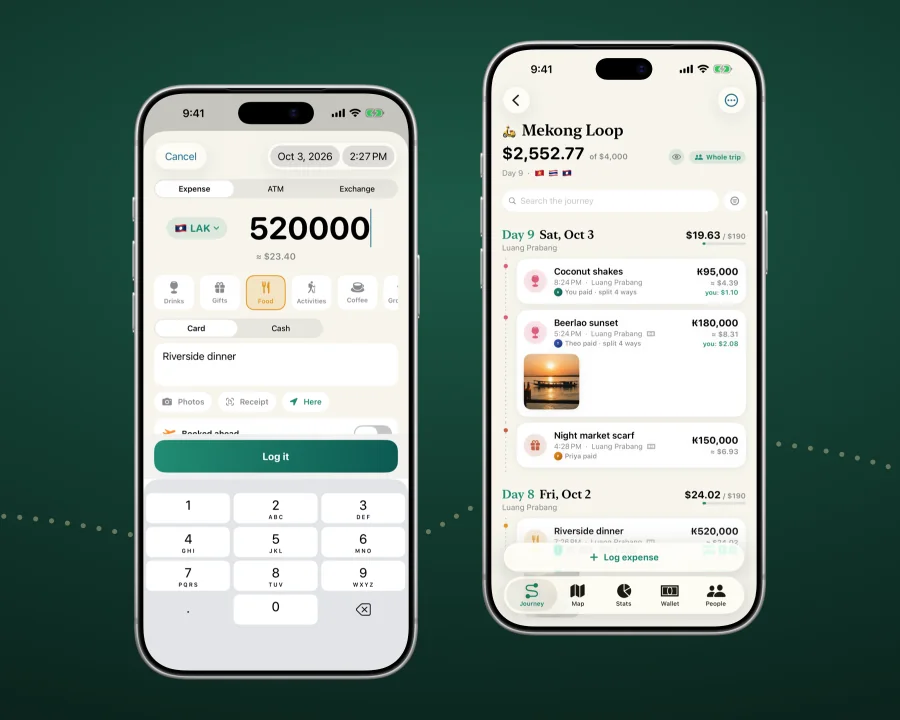
Quick add and tap-to-pay capture
Tap to pay. It’s already logged.
A Shortcuts automation logs Apple Pay taps on iPhone; on Android, Automatic capture offers Google Pay and bank notifications.
Or use quick add, amount first.
-
The rate for the day you spent
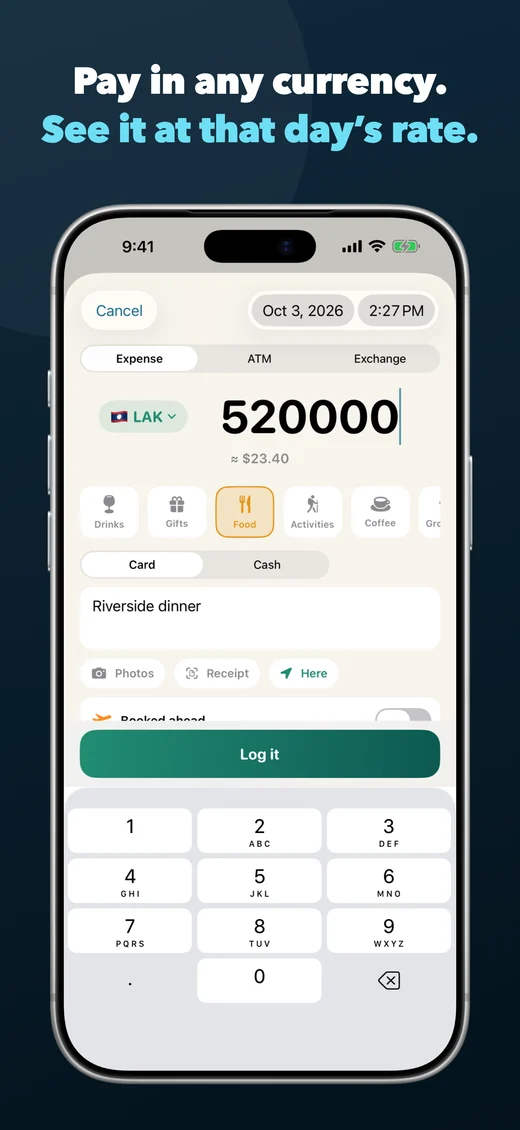
Pay in any currency. See it at that day’s rate.
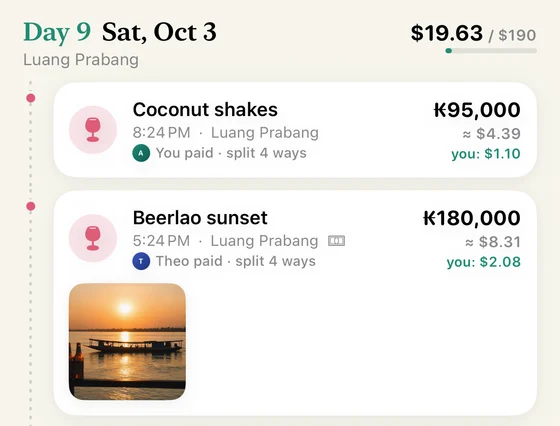
Every expense keeps the amount you paid and converts at that day’s rate.
Offline? iPhone uses its stored rates; Android converts once back online.
-
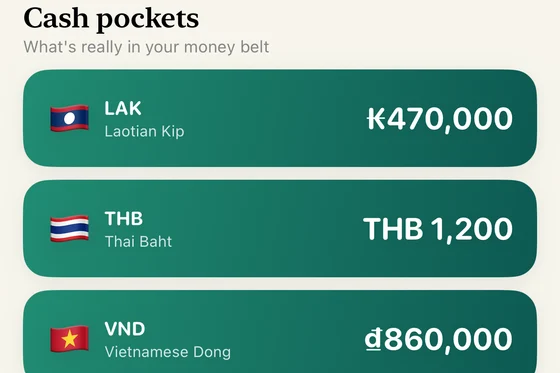
Cash pockets
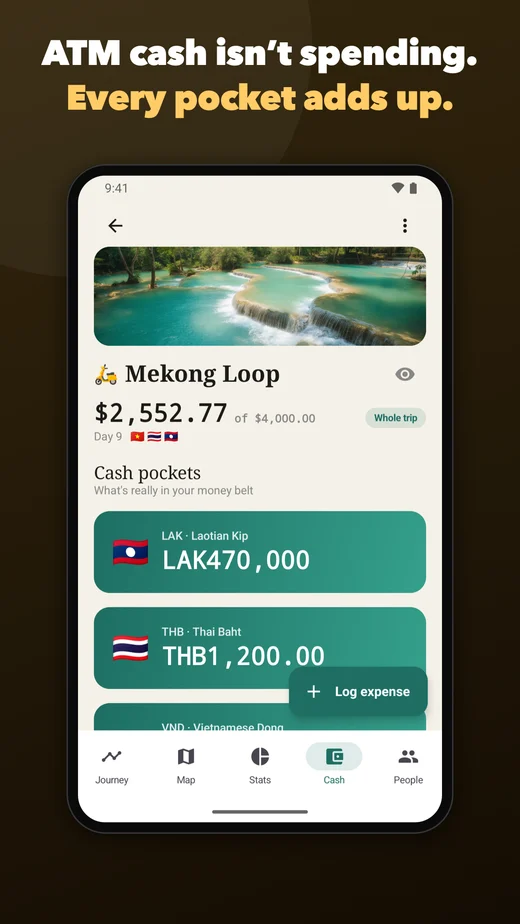
ATM cash isn’t spending. Every pocket adds up.
A withdrawal fills a pocket, cash purchases drain it, and nothing is counted twice.
ATM and card fees sit on their own line.

-
One trip ledger, split your way · Settle up in fewer payments
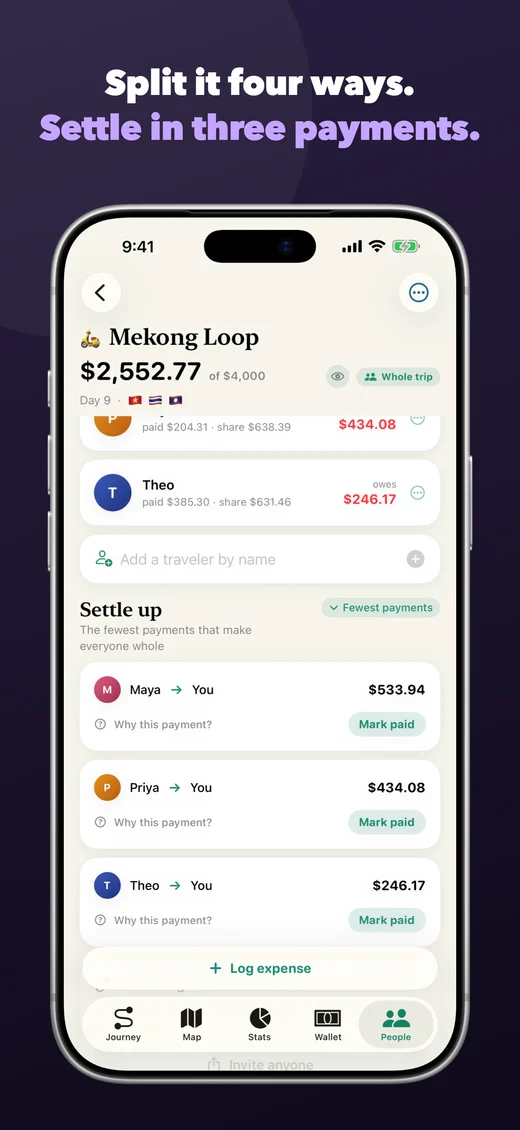
Split it four ways. Settle up in three payments.
Add friends by name, even without the app, or share across iPhone and Android.
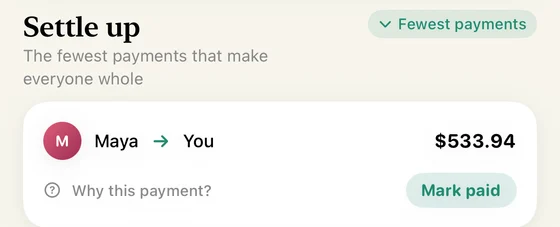
Settle up finds the fewest payments and explains each one.
-
The Journey Ledger
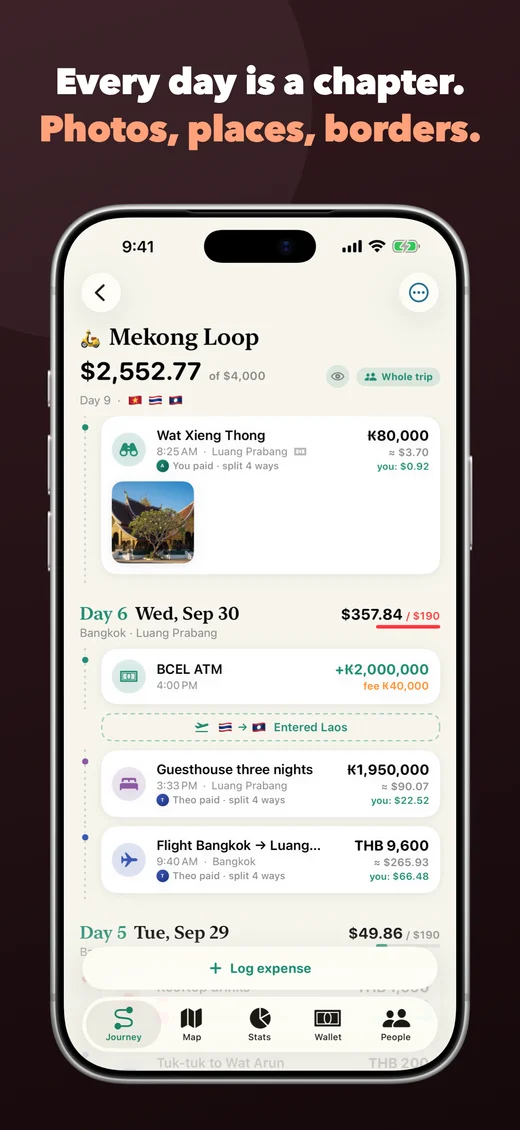
Every day is a chapter. Photos, places, borders.
Day by day on a dotted route: expenses, photos, ATM stops and the day’s budget.
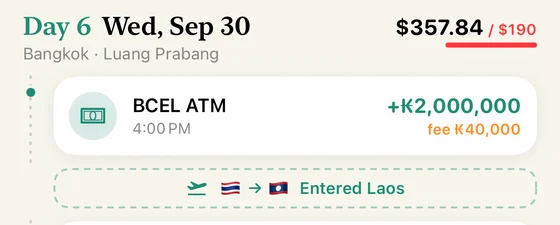
Cross a border and “Entered Laos” appears on its own.
-
Budgets that roll over · Maps, stats and export
A budget that rolls over. See where your pace lands.
With dates and a budget, each day gets what’s left divided by the days to go.
Export to CSV or a printable trip book.

-
The bookshelf
Every trip, on your shelf. Kept long after it’s settled.
Finished trips line up with their covers and totals. On a shared trip, the cover syncs to everyone.

Built for the trip
Who Souvenir is for
A trip ledger for travelling alone or as a group, online or off. Every expense keeps the currency you paid and that day’s rate, and ATM cash counts as cash, not spending. Sharing costs? Read how to split trip expenses.

Couples, friends and families
Share one ledger, track who paid and settle up in fewer payments.

Backpackers and multi-country travellers
Keep logging offline, in local currencies, and see the whole route as one journey.

Cash-heavy trips
ATM withdrawals, exchanges and fees in cash pockets, never counted twice.

Trips worth remembering
Places, photos, receipts and the daily story kept beside the numbers.
Practical guides
Start with what you want to do
 Travel budgeting
How to track every travel expense without turning the trip into bookkeeping
10 minute read →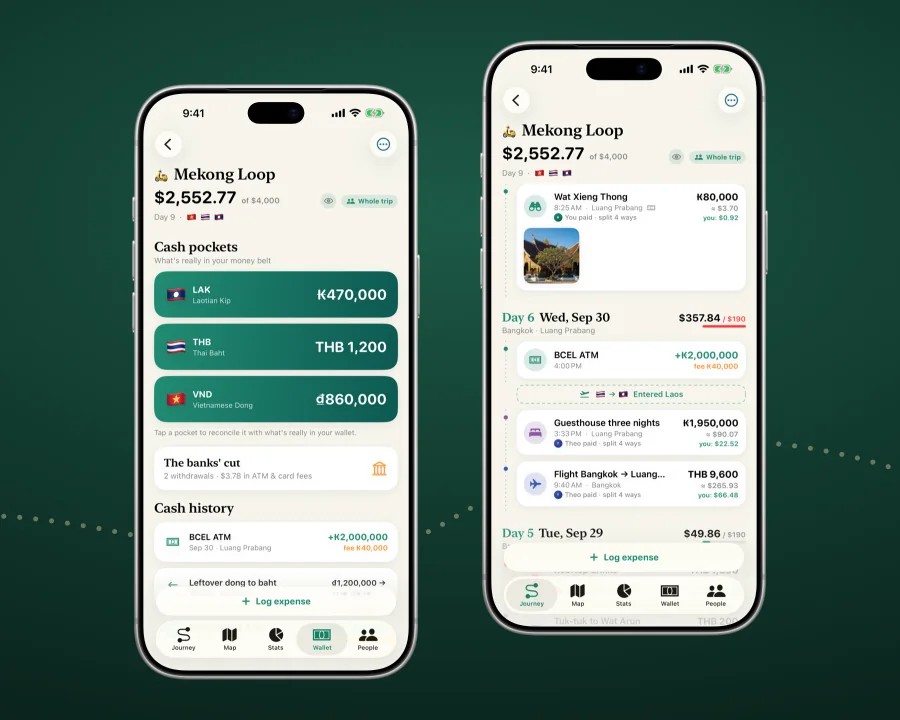 Cash travel
How to track cash, ATM withdrawals and exchange fees while travelling
8 minute read →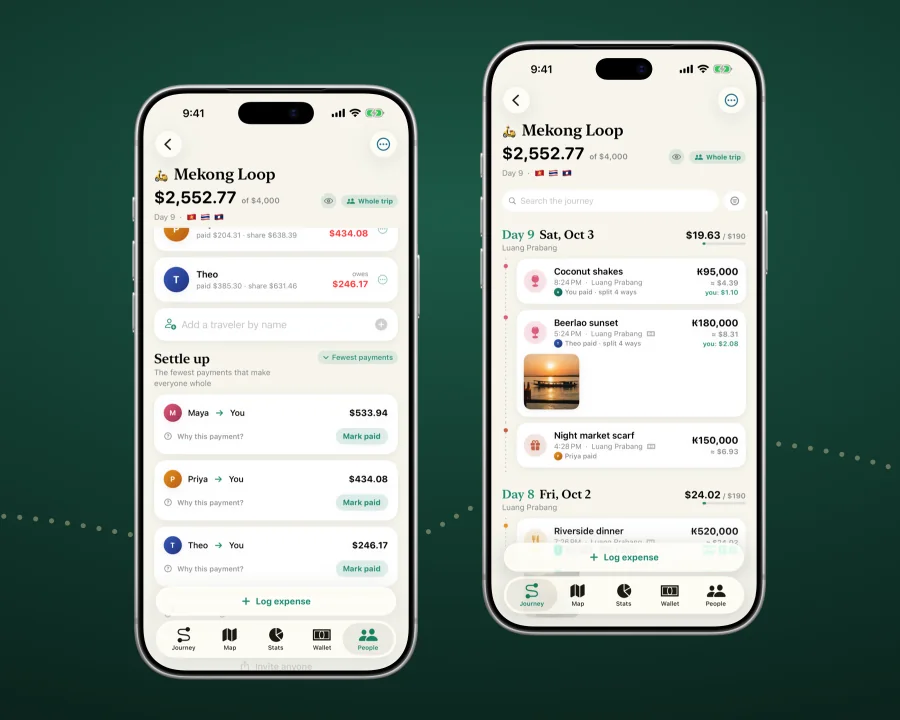 Group trips
How to split group travel expenses fairly and settle up with fewer payments
7 minute read →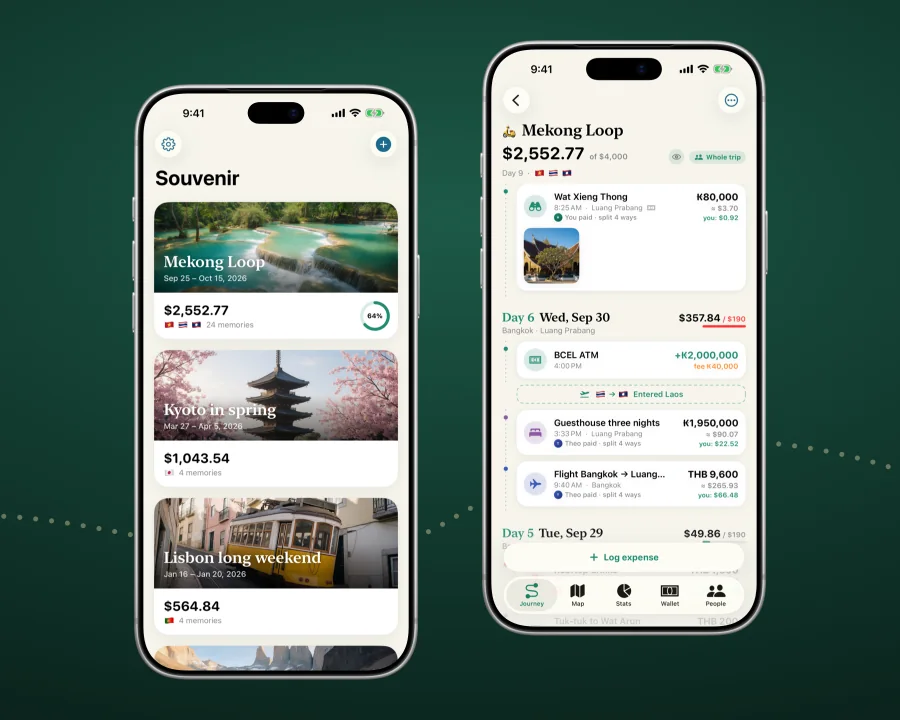 Export
How to export a group trip’s expenses to CSV and a PDF trip book
7 minute read →Free to use
Get Souvenir
Travel expenses in any currency, split with friends, kept as a journal. Free on iPhone and Android, and one shared trip works across both.
The short answers
Questions about Souvenir
Is Souvenir free?
Yes. Souvenir is free and available now on the App Store for iPhone and Google Play for Android.
Can I log travel expenses offline?
Yes. Log and browse expenses offline. iPhone converts right away with its stored rates; Android converts once back online. Shared-trip changes sync when you reconnect.
How does Souvenir handle cash and ATM withdrawals?
An ATM withdrawal moves money into a per-currency cash pocket instead of counting as spending. Cash purchases reduce that pocket, while ATM and card fees remain separate.
Can Souvenir split group travel expenses?
Yes. Add companions by name — they don’t need the app — and split equally, by percentage or with custom shares. Settle up with the fewest payments or direct debts only, each explained. Mark paid accepts partial payments and leaves the remainder open.
How can I add travel expenses?
Use quick add, scan a receipt where supported, or turn on optional tap-to-pay capture: a Shortcuts automation for Apple Pay on iPhone, or Automatic capture of Google Pay and bank notifications on Android. You choose which entries are saved.
Privacy by design
What Souvenir knows about you
- Without an optional Souvenir Account or AI connector, your journal is not readable by Codonic: it stays on your device, in your private iCloud, or inside an end-to-end-encrypted shared trip.
- A Souvenir Account is optional. It stores identity and recovery metadata so the same trip member can move between devices; the recovery code itself never reaches us.
- Claude and ChatGPT access is a second, separate opt-in. It gives our integration service and the provider a limited, server-readable trip projection, never notes, precise GPS, card identifiers, photos, receipts or other media.
- Deleting a trip, deleting the app and deleting a Souvenir Account are different actions. The sections below explain exactly what each removes.
Every expense is a souvenir.
Finished trips go on the shelf: cover, days, cost, who was there.
-
 Mekong Loop Sep 25 – Oct 15, 2026
$2,552.77
-
 Kyoto in spring Mar 27 – Apr 5, 2026
$1,043.54
-
 Lisbon long weekend Jan 16 – Jan 20, 2026
$564.84
-
 Patagonia W Trek Dec 7 – Dec 14, 2025
$571.28